Auto caption video generator for reels, Shorts, and talking videos
Upload a video with speech, choose a caption style, and generate a polished captioned MP4 without manually timing subtitles.
This page targets creators who need an auto caption generator, video caption generator, and AI subtitle workflow for short-form content. Itnavideo keeps the original video as the main content and adds readable, word-timed captions on top.
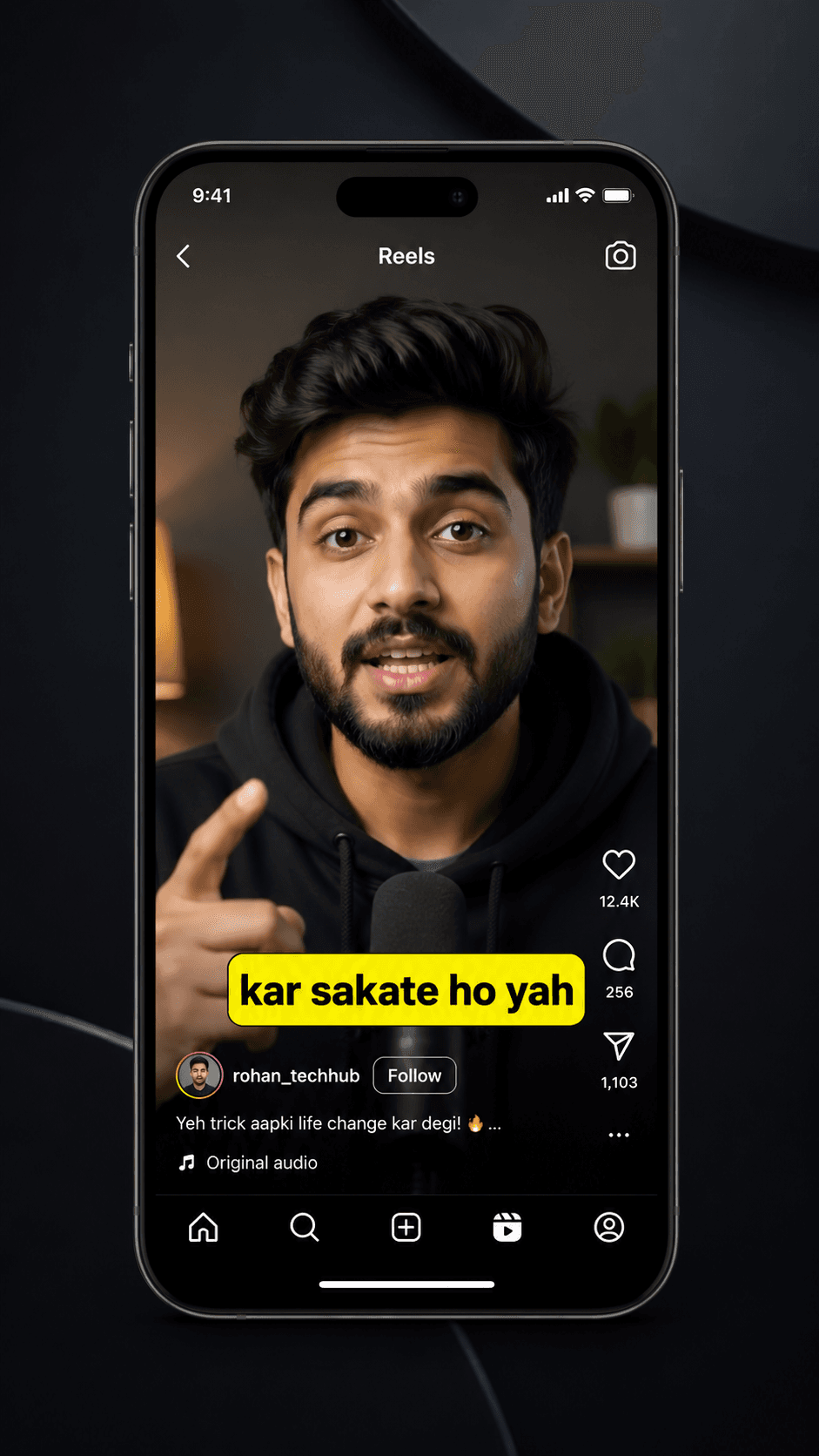
From idea or upload to finished short video.
This workflow naturally supports short keywords like AI video generator, AI reel generator, reel maker, video generator, and AI shorts generator while staying useful for real creators.
Upload a short video with clear speech.
Itnavideo transcribes the audio with Groq Whisper.
Choose a caption style, size, position, text color, and highlight color.
Render a 9:16 MP4 with burned-in captions ready for social platforms.
Benefits
Use cases
Why Itnavideo
FAQ
Can I use this as an auto caption generator?
Yes. Upload a video with speech, pick a caption style, and render a captioned MP4.
Are captions burned into the final video?
Yes. Captions are rendered into the MP4 so they show on Instagram, YouTube Shorts, TikTok, and other platforms.
Does Itnavideo support Hinglish captions?
The current caption flow supports English and Roman Hinglish output from the supported transcription pipeline.